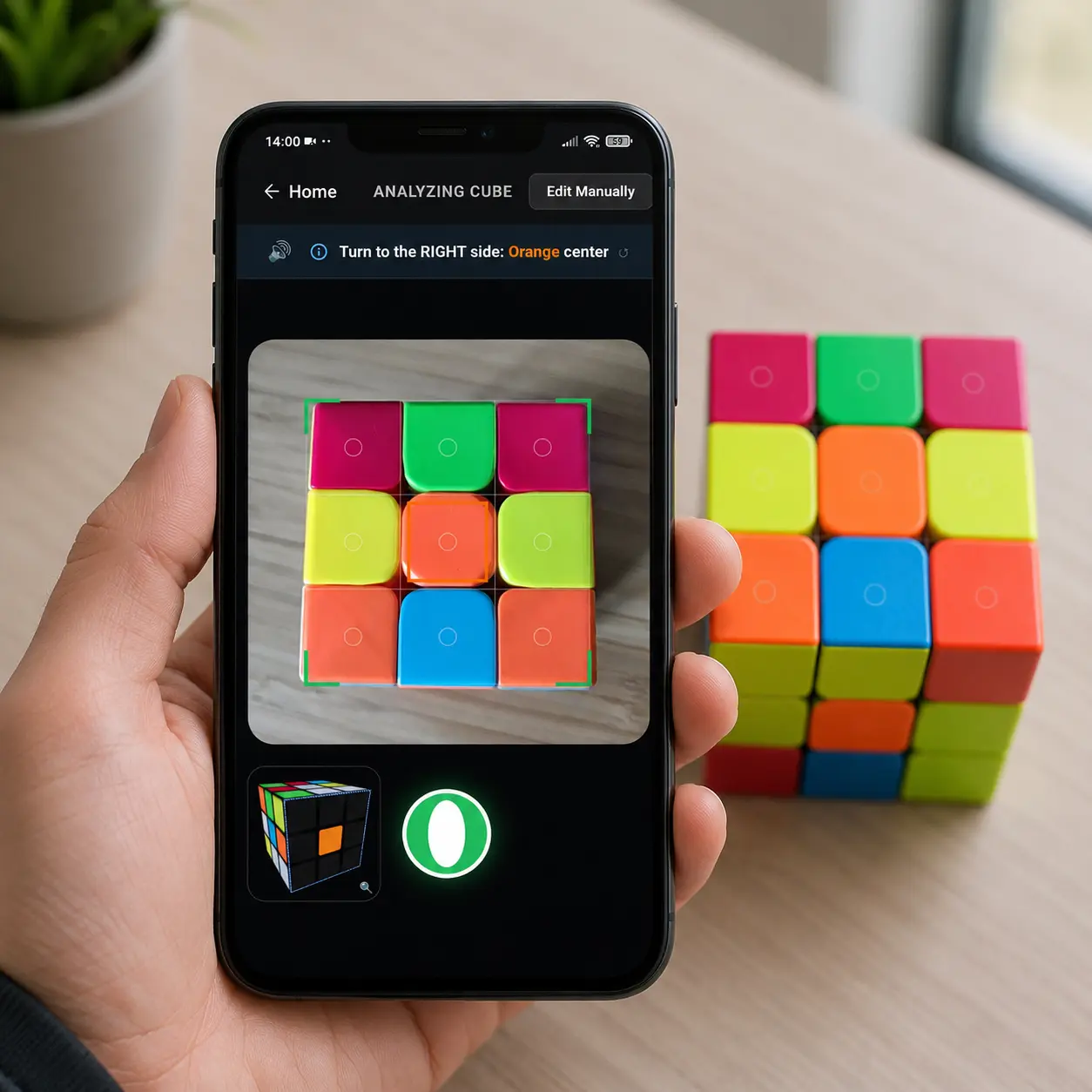
Have you ever tried to solve a Rubik’s Cube with a camera app, only to realize the app thinks your orange stickers are red?
This is the most common frustration with a Rubik’s Cube scanner. You point your phone at the puzzle, wait for it to detect the colors, and end up with a digital cube that looks nothing like the one in your hands. You then spend more time manually tapping squares to fix the wrong colors than you would have spent actually solving the puzzle.
The problem is not your phone. The problem is how standard solver apps process light.
Here is why most apps fail at color recognition and how our web-based Rubik’s Cube solver camera achieves nearly perfect accuracy in the real world.
The Color Recognition Problem
To a computer, colors are just numbers. But those numbers change drastically depending on your environment.
If you are sitting in a room with warm yellow lightbulbs, your white stickers will reflect yellow light. If you are sitting near a window on a bright day, the sun will cast a harsh white glare across your blue and green stickers. In low light, orange and red look almost identical to a camera lens.
Standard scanner apps take a single snapshot of the whole face. When they encounter bad lighting or glare, their color recognition systems get confused. They guess. And they frequently guess wrong. This is exactly why “Rubik’s Cube wrong colors” is one of the most common complaints about cube solver apps.
To see how drastically a camera sensor and exposure settings can change a cube, look at the raw 2D scanner data below:
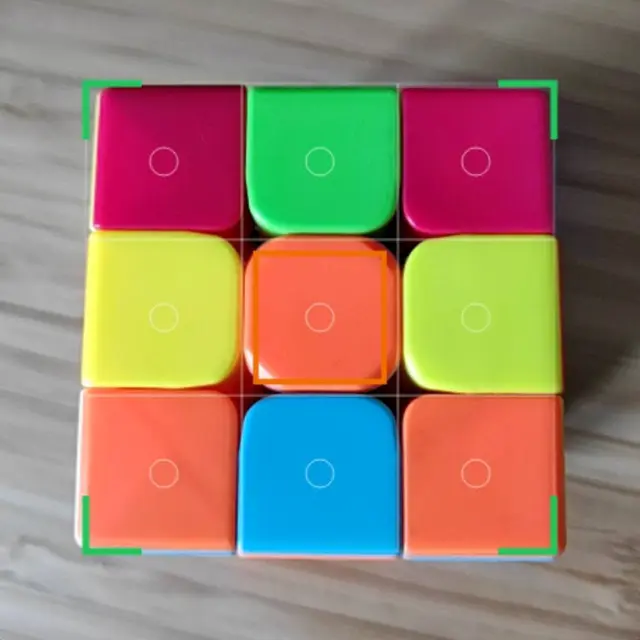 Above: A camera sensor picking up distinct, easily readable colors. The red and orange are clearly separated.
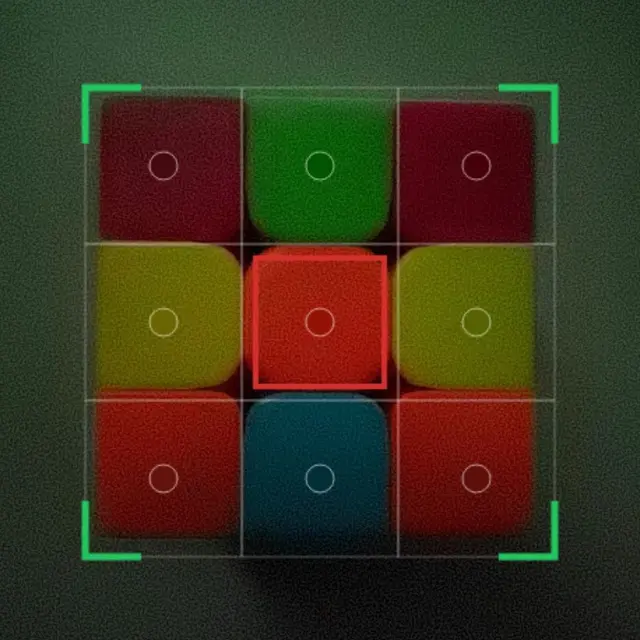 Above: The exact same cube on a different camera sensor. Automatic exposure and white balance have triggered the “Warm Zone” trap, blending the reds and oranges so heavily that even a human eye may struggle to tell them apart.
Because of these hardware inconsistencies, a good scanner cannot just use a hardcoded list of colors. It must use adaptive thresholding, a computer vision technique that actively recalibrates itself to your specific camera’s quirks in real time.
How Our Camera Solver Hits 99 Percent Accuracy
We rebuilt our cube scanner from the ground up to ignore edge shadows and surface reflections. Instead of looking at the whole tile, our computer vision system targets the exact center of each sticker. It then takes a multi-point median sample to filter out direct glare and adjust for ambient room lighting.
The results speak for themselves. In our final global data test, the CubeUnstuck scanner achieved a proven overall accuracy of 98.96%.
Here is the exact breakdown of how accurately the scanner detects each specific color in real-world conditions:
- Green: 99.7%
- Yellow: 99.5%
- Red: 99.3%
- White: 99.1%
- Blue: 98.9%
- Orange: 98.6%
Orange is historically the hardest color for any webcam Rubik’s Cube solver to detect because low light causes it to blend in with red and yellow. An accuracy rate of 98.6% means you can finally trust your camera to tell the difference.
If you want to know more about the ideal setup for scanning, check out our full guide on How to Scan Your Rubik’s Cube: What Works and Why.
The 3D Guide Prevents Scan Order Mistakes
Even with a highly accurate camera, solving a Rubik’s Cube with your phone requires you to scan all six sides. If you scan them in the wrong order, the solver will fail.
Most apps just give you a static picture showing which way to flip the cube. It is incredibly easy to lose track, accidentally twist the cube the wrong way, and scan the same side twice.
To fix this, we added an interactive 3D guide directly into the scanner view. As you complete one side, a large 3D digital twin of your cube pops up on the screen with a “Ready to Scan” prompt. It visually animates the exact rotation you need to make next. It shows you the colors you just scanned moving to the side, completely eliminating the guesswork of cube positioning.
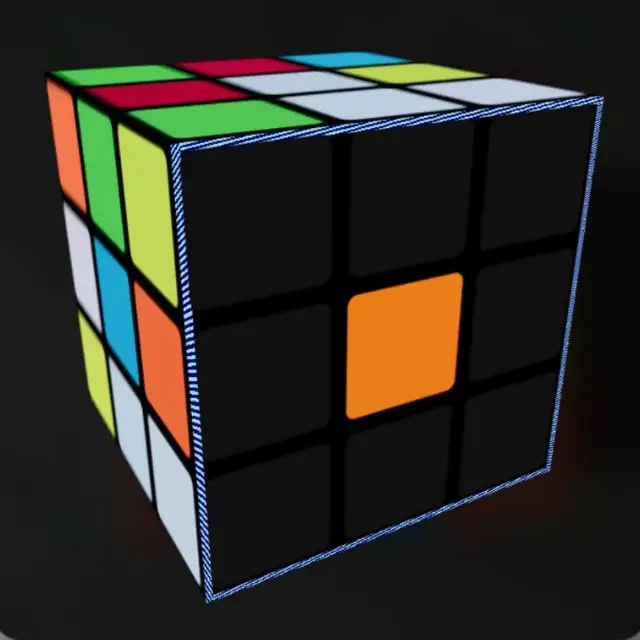 Above: The interactive 3D guide tracks the colors you have already scanned and shows you exactly how to hold the cube for the next step. When you match the angle, just press the ready button.
You just copy the movement on the screen. If you ever get lost, the guide is right there to show you your exact current progress.
The Two Reasons Scans Still Fail
Because our color detection is nearly perfect, the app rarely makes a mistake on its own. When a scan does fail today, it almost always comes down to one of two physical issues.
1. Incorrect Scan Order
If you get distracted and rotate the cube left instead of up, you might scan the blue face twice and skip the green face entirely. The scanner will capture exactly what you show it. If you show it the wrong side, the final puzzle state will be impossible to solve. Always follow the 3D visual guide to ensure you capture every unique face.
2. The Cube is Physically Broken
Sometimes the scanner reads all 54 colors perfectly, but the app still tells you the cube is unsolvable. This means your physical puzzle has a hardware defect. If a piece popped out in the past and was pushed back in backward, the math breaks. You can read more about this very common issue in our article: Twisted Corner on a Rubik’s Cube: Why It’s Unsolvable.
Scan and Solve Today
You do not need perfect studio lighting to scan your cube. You just need a scanner built for the real world.
Whether you are using a laptop webcam or your mobile phone camera, you can map your entire scramble in seconds without tapping a single color manually.